
What type of game developer am I?
Basically, there are two paths (three actually) depending on what interests you in game development.
The first path is purely technical, and you likely want to build an engine or play around with graphics programming. In this case, the choice is easy; learn C, C++ and OpenGL.
The second is the more artistic path, and you want to make 3D models, sprites and design fun game play. In this case, a pre-built game engine such as Unity, Unreal or Godot is usually the best bet. Based on engine choice, the programming choice becomes much clearer, and you will use whatever scripting language the engine provides.
For me, the choice was more complicated because I fell into the third path. I enjoy and am interested in both the technical and artistic side of game development. Despite the fact I went to art school, I wound up becoming a software engineer to pay the bills ¯\_(ツ)_/¯.
So how did I decide on a language to make games with?
My first programming languages
My first attempt to learn game development was way back in 2002 when I finished high school. I bought myself a fat book titled something along the lines of "Create games with XNA and C#". I think I managed to make a jpg of a black dot move across the screen, but having no prior knowledge of programming, learning game development through this book was a stretch.
My later more successful attempts at learning game development were made when I was at university studying digital media. I was re-introduced to programming through a basic web development class. I also had an interactive media class where we learned a Java-based language called Processing. I remember using Processing to create a weird prototype where making noise in the real world caused zombies to appear on-screen. I wish I could find that old project again :D
It was around that time that Unity was entering the scene, so I downloaded it and made a couple of throwaway projects. At the time, the engine supported a variety of scripting languages: UnityScript, C# and Boo, and I opted for UnityScript. I didn't take to Unity very well, I wanted to know what was going on under the hood and why just attaching a simple script and prefabs in the editor made a game happen. It became clear I needed to make a game with pure code in order to get my head around and understand the process of creating a game.
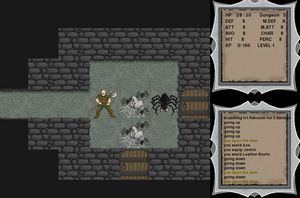
The next thing that happened was I somehow discovered Roguelikes. This was before they had a massive resurgence in popularity, and they were not something that the average gamer / wannabe game developer like me would even know about. But I loved the concept of them and endeavored to learn how to make one. But mine would have graphics!
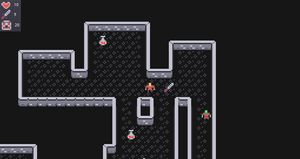
After some research, I decided to use Python and Pygame for my Roguelike. There were Python tutorials for Roguelike development, and it was relatively simple to add graphical tiles using Pygame.
Building a Roguelike with Python
I spent a couple of years building my Roguelike with Python and I think it is an overall good choice for game development. As a beginner it was relatively easy to learn and Pygame allowed me to see the results of my efforts come to life quickly. Doing all the development in pure code with no game engine allowed me to understand the basic concepts like game loops and user input, something that appeared to be magic when using Unity.
Many say that Python is no good due to it being a slow language not fast enough for games. For my use case, this was not a problem. But my biggest gripe was the lack of an easy way to export to an executable. How was I going to share my game with the world?
You can find my Pygame Roguelike on GitHub... Yikes that project structure could do with some work!
So is Python any good for game development?
I would say Python and Pygame are a great choice for learning as well as creating prototypes and hobby projects. I dare say the awesome Python community have since developed ways to export browser games with WASM and the like. And there are also many game development libraries available, such as:
A Pyxel project is on my to-do list. I love the old school design philosophy and development with constraints in mind!
Exploring other languages and frameworks
A few years after graduating from university, I started working as a web developer. In order to better acquaint myself with JavaScript, I decided to revisit my passion for making games and began work on a basic platformer in my downtime.
A platformer in pure JavaScript
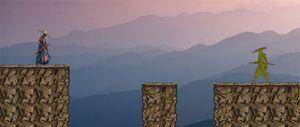
I didn't use any of the JavaScript game development libraries such as Phaser or Three.js for this project. Instead, I wrote my game in vanilla JavaScript straight to the HTML canvas element. I remember trying to figure out the way game loops work in a browser, which caused some significant headaches, but I persevered and got the basics working. The game was never completed but my goal of getting better at JavaScript and programming was achieved.
So then JavaScript for game development?
I'm sure when paired with a game library, JavaScript would be a great choice. I cannot comment as I made my project with vanilla JavaScript. I will say that being able to share your game immediately via the web is a huge plus.
Testing out Panda3D and Godot
I took Panda3D for a spin as I wanted to make something in 3D and Python was my strongest language. I built a basic 3D world you could move around but ultimately Panda3D felt a little too clunky for my tastes and goals, so I turned to Godot.
Godot my engine of choice for game development
Something about Godot simply clicked for me. The way a scene consists of nodes in the form of a tree data structure felt very intuitive. The lightweight editor, easy export options and the open source nature of the engine sealed the deal. Since picking up Godot, I have made dozens of prototypes as well as a bunch of Game Jam games which you can find on this website.
Godot has its own scripting language similar to Python known as GDScript. This is a great language that is easy to learn to use and create games with. The engine also supports C# and any language is possible through community plugins. For my projects I use a combination of the two. If I need a node to do something very simple, I stick to GDScript, but when things get bigger, I prefer to use C# due to its type safety and object-oriented tooling.
My personal opinion is you can't go wrong with Godot + C# or GDScript.
Tools I would like to try out in the future
I am really keen to try out game development with C and Raylib. There is something about C that really scratches an itch from a pure programming perspective and Raylib looks like an awesome library. I look forward to giving them a spin sometime. Stay posted if you are interested in how that plays out :)